
Finding the best VPN for gaming on Windows 11 is not only about privacy. The best gaming VPNs combine low ping, stable connections, and a dependable server network. A good VPN for gaming can hide your real IP address, give you access to servers in other regions, and sometimes improve a poor route between your internet service provider and a game server. A badly chosen VPN server can do the opposite by adding distance and increasing ping.
For this article I tested ExpressVPN, CyberGhost, NordVPN, Proton VPN, and Surfshark in CS2, Fortnite, and Valorant. Each VPN service used a near server in Bulgaria, a nearby-country server in Romania, and a distant server in the United Kingdom and compared every result with a no-VPN baseline for the same game.
What Is a VPN and How Does It Work for Gaming?
A virtual private network creates an encrypted tunnel between your device and a remote VPN server. When you start a VPN connection, your web traffic reaches the VPN server before it travels to the game server. In practical terms, a virtual private network changes both your visible IP address and the route used by your internet connection.
For gaming, the connection works like this:
1. Your Windows 11 PC connects to a VPN server.
2. The VPN encrypts your web traffic inside the VPN tunnel.
3. The VPN server forwards that traffic to the game server.
4. The game server sees the VPN server’s IP address instead of your real IP address.
This can help hide your real IP address from other players and make direct targeting more difficult. It can also change the path used by your internet connection. A better route may fix an ISP routing problem, while a longer or congested route normally raises ping. The best VPN for gaming is therefore the one that gives your setup the most efficient route to the game server, not simply the provider with the biggest advertisement.
A VPN does not increase FPS. Frame rate depends mainly on your GPU, CPU, game settings, and system performance. A VPN affects network routing, latency, packet delivery, and privacy.
Modern protocols such as NordLynx, Lightway, and WireGuard are designed to reduce VPN overhead. Choosing the right protocol can improve connection setup and consistency. A Windows 11 VPN app may also include a kill switch, split tunneling, automatic server selection, and a user friendly interface.
Watch the full YouTube VPN gaming test: See how ExpressVPN, CyberGhost, NordVPN, Proton VPN, and Surfshark performed on Windows 11 in CS2, Fortnite, and Valorant. The video includes the testing process and gameplay footage behind the final rankings.
YT VIDEO HERE
Why Trust This Guide? How I Tested the VPNs
This guide is based on hands-on Windows 11 testing rather than marketing claims. I used the same games, the same server regions, and the same core measurements for every VPN provider. That makes the gaming VPNs easier to compare fairly.
Test Matrix:
· Games: CS2, Fortnite, Valorant
· VPN providers: ExpressVPN, CyberGhost, NordVPN, Proton VPN, Surfshark
· Server regions: Bulgaria (Near Server), Romania (Nearby Country Server), United Kingdom (Distant Server)
· VPN-enabled sessions: 45
· No-VPN baseline sessions: 3
· Total recorded sessions: 48
The Three Statistics I Measured
Ping
Ping measures the network round-trip time in milliseconds. Lower ping is generally better, but each game had a different no-VPN baseline. For this reason, I also calculated the average ping change compared with no VPN.
Packet Loss
Packet loss measures the percentage of network packets that did not arrive. In these tests, all 48 sessions recorded 0.00% packet loss.
Stability
Stability is the written assessment from each session. It describes whether the connection remained flat or steady, whether the routing appeared consistent, and whether the recording showed network-related interruptions.
Stability is separate from latency. A connection can be stable but still have high ping. That is exactly what happened in several distant-server tests: the ping was high, but it stayed flat and packet loss remained at 0%.
Best Picks
Based on the measured results, these are the best gaming VPNs in this Windows 11 comparison. The ranking prioritizes gaming performance first, then server network quality, Windows features, and ease of use.
1. ExpressVPN — Best overall gaming performance
2. CyberGhost — Best near-server latency
3. NordVPN — Best all-rounder for server reach and features
4. Proton VPN— Best privacy-focused gaming VPN
5. Surfshark — Best for unlimited devices and value
The Best Gaming VPNs: Detailed Test Results
1. ExpressVPN — Best VPN for Gaming Overall in My Test
AVG PING
47.7 ms
PING INCREASE
+13.2 ms
PACKET LOSS
0.00%
STABILITY
Stable
Pros
- Lowest overall mean ping in the test
- Lowest average ping increase
- 0% packet loss in every gaming session
- Stable routing across all three regions
- Straightforward Windows app
Cons
- Higher latency in some distant-server tests
- No permanent free plan to test
Near Server
Lowest-latency ExpressVPN result in my test, with smooth gameplay and no packet-loss issue.
Nearby-Country Server
Strong nearby-country result that stayed stable across the recorded gaming sessions.
Distant Server
Still playable, but latency was higher than the closer server options.
Best for
- · Competetive Gaming
- · Players who want the best tested average
- · International Gaming
- · Users who prefer a simple Windows 11 app
ExpressVPN delivered the best complete gaming result in this test. Across nine VPN-enabled sessions, it recorded an overall mean ping of 47.7 ms and an average ping increase of +13.2 ms, the lowest of the five tested providers. That makes it my best VPN for gaming when all three games and all three regions are considered together.
ExpressVPN Test Statistics
· Bulgaria (Near Server) average: 33.7 ms
· Romania (Nearby Country Server) average: 45.7 ms
· United Kingdom (Distant Server) average: 63.8 ms
· Overall mean ping: 47.7 ms
· Average ping increase: +13.2 ms
· Packet loss: 0.00% in 9/9 sessions
· Stability: Stable or exceptionally stable in all recorded sessions
Game-by-Game Results
Server Region / Distance | CS2 | Fortnite | Valorant |
Bulgaria | 38-39 ms | 41 ms | 21-22 ms |
Romania | 47 ms | 55 ms | 35 ms |
United Kingdom | 74-75 ms | 61 ms | 56 ms |
Why It Ranked First
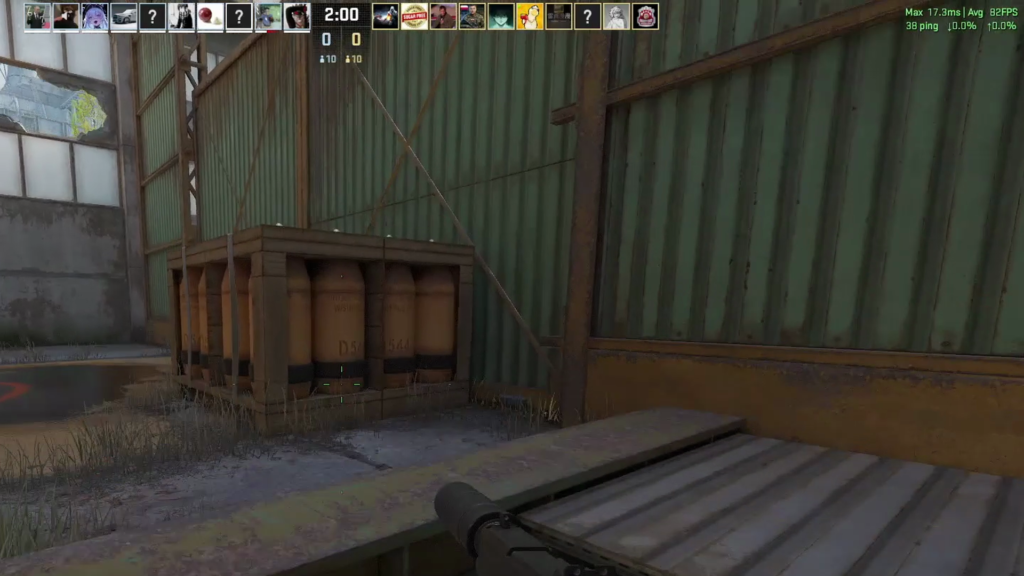
ExpressVPN was especially strong in Valorant. It recorded 21-22 ms through the Bulgaria near server, 35 ms through the Romania nearby-country server, and 56 ms through the UK distant server. Its UK CS2 result was higher at 74-75 ms, but the connection remained stable and recorded 0% packet loss.
ExpressVPN’s official server information lists 214 server locations in 113 countries. ExpressVPN supports Lightway, WireGuard, OpenVPN, and IKEv2 on supported locations, while its Windows VPN app supports split tunneling. Its simple layout also makes it a practical VPN for gaming for users who do not want to adjust many settings.
2. CyberGhost — Best VPN for Gaming on a Near Server
Best Near-Server Latency
Consistent gaming performance with excellent near-server latency.
AVG PING
49.6 ms
PING INCREASE
+15.1 ms
PACKET LOSS
0.00%
STABILITY
Stable
Pros
- Best near-server average in my test
- Second-smallest average ping increase
- Stable performance with a beginner-friendly app
- Large server network across many locations
Cons
- Latency increased on nearby and distant routes
- Fewer simultaneous connections than some competitors
Near Server
Standout near-server performance with the lowest regional average in the complete test.
Nearby-Country Server
Remained stable, although latency varied more and increased noticeably from the near-server result.
Distant Server
The connection stayed stable, but the longer route produced a clear latency increase.
Best for
- · Near-server competitive gaming
- · Beginners who want an accessible app
- · Users wanting a large server network
- · Gaming and streaming with one service
CyberGhost was the strongest near-server performer and finished second in the complete comparison. It recorded an overall mean ping of 49.6 ms and an average ping increase of +15.1 ms, making it another strong VPN for gaming when a well-routed nearby server is available.
CyberGhost Test Statistics
· Bulgaria (Near Server) average: 30.5 ms
· Romania (Nearby Country Server) average: 53.8 ms
· United Kingdom (Distant Server) average: 64.5 ms
· Overall mean ping: 49.6 ms
· Average ping increase: +15.1 ms
· Packet loss: 0.00% in 9/9 sessions
· Stability: Stable in all recorded sessions
Game-by-Game Results
Server Region / Distance | CS2 | Fortnite | Valorant |
Bulgaria | 29 ms | 41 ms | 21-22 ms |
Romania | 49-50 ms | 68 ms | 44 ms |
United Kingdom | 58 ms | 73 ms | 62-63 ms |
Why It Ranked Second
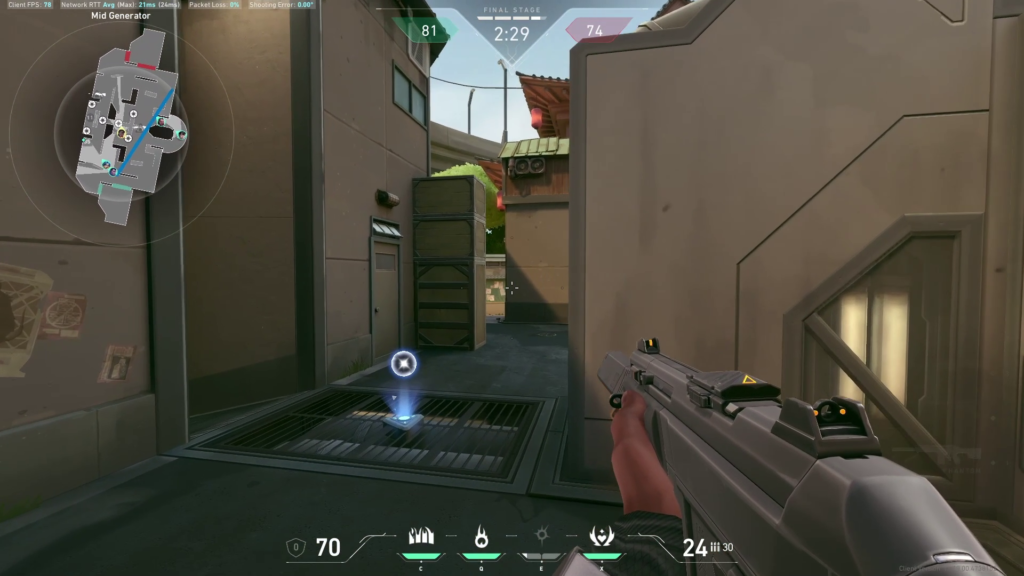
CyberGhost’s Bulgaria near-server results were excellent and produced an average of only 30.5 ms across the three games. This was four milliseconds lower than the combined no-VPN game baseline average, although game-by-game comparisons remain more meaningful than comparing one combined number.
Its weakest results appeared in Fortnite through the Romania nearby-country server and the UK, at 68 ms and 73 ms. Even then, the recorded stability remained steady and packet loss stayed at 0%.
CyberGhost’s official server page lists 125+ locations across 100 countries. It also advertises specialized gaming servers and gaming optimized servers in its Windows app. These options display ping, load, and distance indicators, although the best route still depends on the exact game server and your connection.
3. NordVPN — Best All-Rounder for Server Reach and Features
Best All-Rounder
Strong performance with broad server coverage and useful Windows features.
AVG PING
57.8 ms
PING INCREASE
+23.3 ms
PACKET LOSS
0.00%
STABILITY
Stable
Pros
- Strong near-server performance
- Stable throughout the complete test
- Broad server reach and useful Windows features
- Fast NordLynx protocol
Cons
- Higher average ping increase than the top two VPNs
- Performance varied more noticeably between routes
- Distant routes were stable but noticeably slower
Near Server
Produced some excellent low-latency results, although performance differed between the tested games.
Nearby-Country Server
More balanced regional performance with stable delivery throughout the recorded sessions.
Distant Server
Stable and relatively consistent, but noticeably slower than the closer server options.
Best for
- · Players who regularly switch regions
- · Users wanting broad server coverage
- · Windows 11 users wanting additional features
- · Players willing to compare several nearby routes
NordVPN ranked third by measured latency. It remained stable throughout testing, but its overall mean ping of 57.8 ms and average ping increase of +23.3 ms were higher than ExpressVPN and CyberGhost. It is still a capable VPN for gaming when NordLynx and a well-routed nearby server work well for the selected game.
NordVPN Test Statistics
· Bulgaria (Near Server) average: 46.0 ms
· Romania (Nearby Country Server) average: 58.2 ms
· United Kingdom (Distant Server) average: 69.3 ms
· Overall mean ping: 57.8 ms
· Average ping increase: +23.3 ms
· Packet loss: 0.00% in 9/9 sessions
· Stability: Stable in all recorded sessions
Game-by-Game Results
Server Region / Distance | CS2 | Fortnite | Valorant |
Bulgaria | 28-29 ms | 42 ms | 67-68 ms |
Romania | 51-52 ms | 58-61 ms | 63-64 ms |
United Kingdom | 66 ms | 65 ms | 77 ms |

Why It Ranked Third
NordVPN nearly matched the 28 ms no-VPN CS2 baseline through the Bulgaria near server, recording 28-29 ms. Its Bulgaria near-server Fortnite result was also strong at 42 ms. However, Bulgaria near-server Valorant rose to 67-68 ms, which increased its Bulgaria and overall averages.
The provider remained stable in all nine sessions and did not record packet loss. NordVPN’s official support page lists 8,400+ servers in 167+ countries. NordLynx is its WireGuard-based default VPN protocol, while OpenVPN remains available. The Windows client also supports split tunneling and a kill switch.
Some VPN reviews place NordVPN among the faster services in the VPN industry because NordLynx is designed for high-speed online gaming and low overhead. However, I am not using a universal 3% speed-loss claim in this guide. Speed loss changes by test server, VPN server, protocol, and network conditions, and my single Bulgaria Speedtest was a severe outlier that needs retesting.
4. Proton VPN — Best Privacy-Focused Gaming VPN
AVG PING
62.6 ms
PING INCREASE
+28.1 ms
PACKET LOSS
0.00%
STABILITY
Stable
Pros
- Stable performance throughout testing
- Strong privacy focus with open-source applications
- Strong nearby-country server performance
Cons
- Higher overall latency than the top three VPNs
- Distant-server latency was particularly high
- Choosing the right regional route was important
Near Server
Lowest-latency ExpressVPN result in my test, with smooth gameplay and no packet-loss issue.
Nearby-Country Server
Strong nearby-country result that stayed stable across the recorded gaming sessions.
Distant Server
Still playable, but latency was higher than the closer server options.
Best for
- · Competetive Gaming
- · Players who want the best tested average
- · International Gaming
- · Users who prefer a simple Windows 11 app
The service delivered consistent, loss-free sessions but placed fourth on latency. Its overall mean ping was 62.6 ms, with an average ping increase of +28.1 ms.
Proton VPN Test Statistics
· Bulgaria (Near Server) average: 53.0 ms
· Romania (Nearby Country Server) average: 49.8 ms
· United Kingdom (Distant Server) average: 85.0 ms
· Overall mean ping: 62.6 ms
· Average ping increase: +28.1 ms
· Packet loss: 0.00% in 9/9 sessions
· Stability: Stable in all recorded sessions
Game-by-Game Results
Server Region / Distance | CS2 | Fortnite | Valorant |
Bulgaria | 48-49 ms | 42 ms | 68-69 ms |
Romania | 43 ms | 49 ms | 57-58 ms |
United Kingdom | 81 ms | 69 ms | 105 ms |
What Stood Out
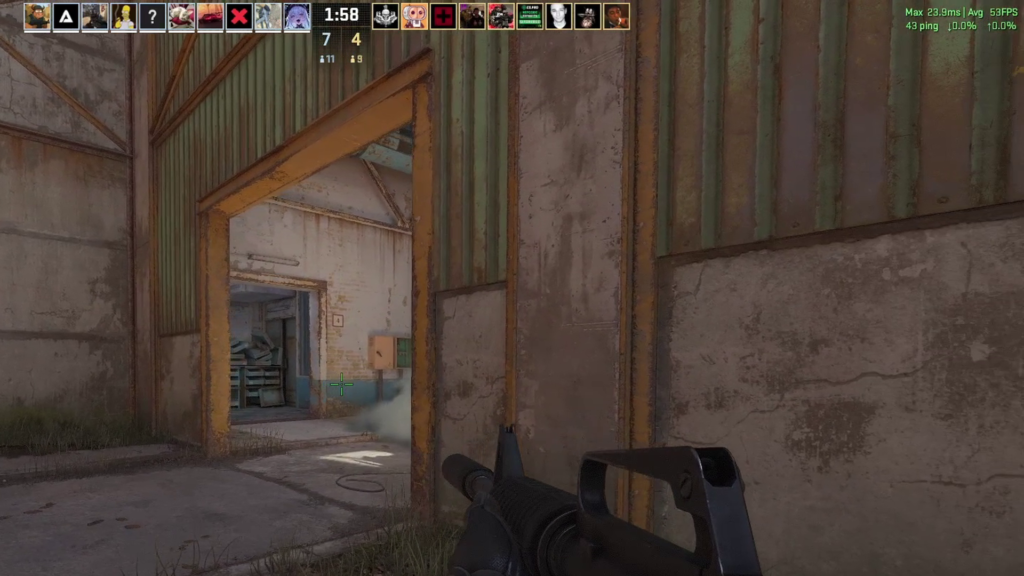
Romania was Proton’s best region in this test, averaging 49.8 ms across the three games. The UK distant-server results caused the largest penalty, particularly the 105 ms Valorant session.
The connection itself remained stable, and every session recorded 0% packet loss. Proton VPN lists more than 20,000 servers in 140 countries and supports WireGuard and OpenVPN. Its paid apps include VPN Accelerator, which Proton claims can improve speeds by up to 400% in certain conditions, especially on long-distance or unreliable routes. That is a vendor claim, not a result measured in this gaming benchmark.
5. Surfshark — Best for Unlimited Devices and Value
Best for Multiple Devices
Affordable gaming protection for multiple devices.
AVG PING
63.9 ms
PING INCREASE
+29.4 ms
PACKET LOSS
0.00%
STABILITY
Stable
Pros
- Stable network delivery throughout testing
- Unlimited connections and strong overall value
- Good performance when connected to a suitable nearby server
Cons
- Highest overall mean ping in the comparison
- Largest average ping increase
- Performance varied considerably between routes
- Less suitable when minimum latency is the main priority
Near Server
Lowest-latency ExpressVPN result in my test, with smooth gameplay and no packet-loss issue.
Nearby-Country Server
Strong nearby-country result that stayed stable across the recorded gaming sessions.
Distant Server
Still playable, but latency was higher than the closer server options.
Best for
- · Competetive Gaming
- · Players who want the best tested average
- · International Gaming
- · Users who prefer a simple Windows 11 app
Surfshark delivered stable, loss-free connections, but it recorded the highest overall latency of the tested providers. Its overall mean ping was 63.9 ms, and its average ping increase was +29.4 ms. It remains useful for households that value unlimited device connections over the lowest possible ping.
Surfshark Test Statistics
· Bulgaria (Near Server) average: 52.7 ms
· Romania (Nearby Country Server) average: 59.2 ms
· United Kingdom (Distant Server) average: 79.8 ms
· Overall mean ping: 63.9 ms
· Average ping increase: +29.4 ms
· Packet loss: 0.00% in 9/9 sessions
· Stability: Stable in all recorded sessions
Game-by-Game Results
Server Region / Distance | CS2 | Fortnite | Valorant |
Bulgaria | 48 ms | 43 ms | 67 ms |
Romania | 47-48 ms | 45 ms | 85 ms |
United Kingdom | 79 ms | 64 ms | 96-97 ms |
What Stood Out
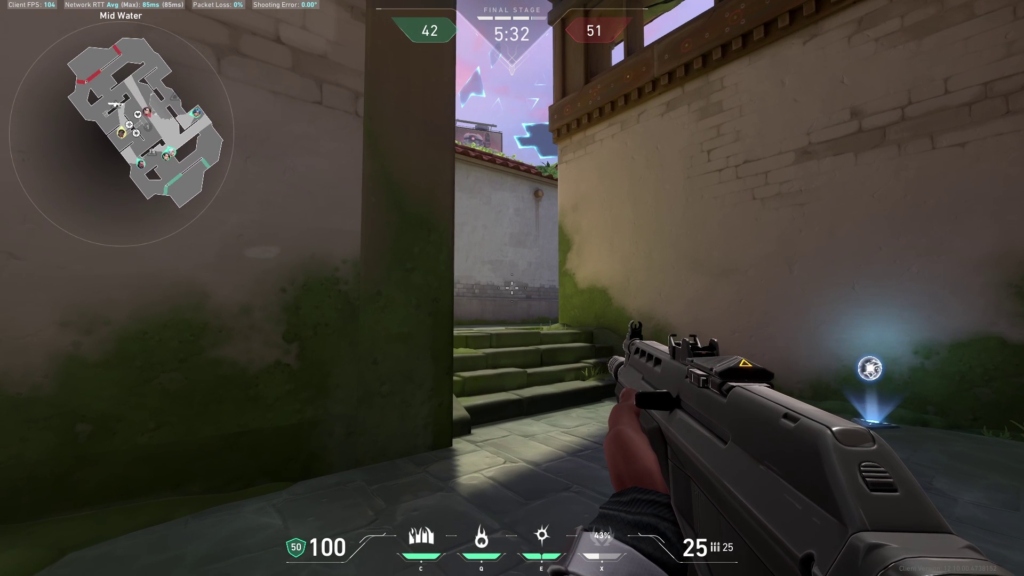
Surfshark’s Fortnite results were much better than its Valorant results. Fortnite stayed at 43 ms through the Bulgaria near server, 45 ms through the Romania nearby-country server, and 64 ms through the UK distant server. By contrast, Valorant reached 85 ms through the Romania nearby-country server and 96-97 ms through the UK distant server.
These were latency penalties rather than stability failures: the sessions remained flat, and packet loss stayed at 0%.
Surfshark’s official server page lists 4,500+ servers in 100 countries. Surfshark’s Windows app supports WireGuard and OpenVPN, alongside its Bypasser split tunneling feature. IKEv2 is no longer available inside the Windows app, although it can still be configured manually through Windows. The subscription also includes unlimited simultaneous connections, making it suitable for multiple devices.
Full Gaming Test Summary
The table below summarizes the overall results across the nine recorded gaming sessions for each VPN.
VPN Provider |
Mean Ping |
Average Ping Increase |
Stability |
Packet Loss |
Current Server Network |
Best For |
ExpressVPN |
47.7 ms |
+13.2 ms |
Excellent; stable in 9/9 sessions |
0.00% in 9/9 |
214 locations in 113 countries |
Best overall tested performance |
CyberGhost |
49.6 ms |
+15.1 ms |
Excellent; stable in 9/9 sessions |
0.00% in 9/9 |
125+ locations in 100 countries |
Lowest near-server average |
NordVPN |
57.8 ms |
+23.3 ms |
Excellent; stable in 9/9 sessions |
0.00% in 9/9 |
8,400+ servers in 167+ countries |
Broad server reach and features |
Proton VPN |
62.6 ms |
+28.1 ms |
Excellent; stable in 9/9 sessions |
0.00% in 9/9 |
20,000+ servers, 140 countries |
Privacy-focused gaming |
Surfshark |
63.9 ms |
+29.4 ms |
Excellent; stable in 9/9 sessions |
0.00% in 9/9 |
4,500+ servers, 100 countries |
Unlimited devices and value |
What the Results Showed
ExpressVPN produced the lowest overall mean ping and the smallest average ping increase, making it the strongest performer across the complete test set. It did not win every individual session, but it delivered the best average result across all three games and all three regions.
CyberGhost produced the lowest near-server average and finished second overall. Its Bulgaria near-server results were especially strong: 29 ms in CS2, 41 ms in Fortnite, and 21-22 ms in Valorant.
NordVPN remained stable in every session, but its average was raised by higher Valorant latency and its distant-server results. It performed particularly well in Bulgaria near-server CS2 and Fortnite.
Proton was stable and performed well through the Romania nearby-country server, but its UK distant-server tests were the most expensive in latency, including 105 ms in Valorant.
Surfshark also maintained stable sessions with no packet loss, but it had the highest overall mean ping and largest average ping increase. Its biggest penalties appeared in Valorant through the Romania nearby-country server and the UK distant server.
Gaming Security, Privacy, and Connection Issues
Security and Privacy Risks for Gamers
Online gaming can expose your public IP address in some peer-to-peer, voice-chat, hosting, or direct-connection situations. A VPN replaces your public IP with the VPN server’s IP and encrypts traffic between your device and the VPN server.
This can reduce direct exposure and make it harder for another player to target your home connection. It does not make a gaming account immune to phishing, credential theft, weak passwords, or platform breaches. You should still use unique passwords and multi-factor authentication.
A kill switch can prevent your real IP address from being exposed if the VPN disconnects unexpectedly. This is particularly useful when privacy is the reason you are using the VPN.
DDoS Protection for Online Gaming
DDoS attacks are more sophisticated than basic DoS attacks because they use multiple compromised devices or sources to overwhelm one target. That distributed traffic is harder to block than a single-source attack and can disconnect a player, streamer, or hosted session.
Many VPN providers advertise protection from DDoS attacks as a reason to use a VPN for gaming. A VPN connection hides your home IP behind the VPN server, so hostile traffic is directed at the provider infrastructure instead of your home internet connection. This can make an attack harder to aim directly at you.
A consumer VPN is not a guarantee against every form of abuse. Protection from DDoS attacks depends on the provider infrastructure, the type and size of the attack, and whether your real IP has already been exposed. DDoS attacks can also target a game platform or server rather than an individual player.
For competitive gaming and streaming, keep the kill switch enabled and avoid exposing your real IP through excluded apps. A password manager and multi-factor authentication protect the account itself, while the VPN protects the route and improves online privacy. These tools solve different risks.
Can a VPN Bypass Activity-Based Throttling?
A VPN may bypass ISP throttling when the internet service provider slows traffic because it recognizes gaming, streaming, or another activity. Because the VPN encrypts the traffic, activity-based ISP throttling becomes harder to apply.
A VPN cannot fix every slowdown. It will not remove network congestion, Wi-Fi interference, a slow line, or a data cap. If ISP throttling is not the cause, adding a VPN may increase latency instead. Treat the feature as a possible routing benefit, not a guaranteed speed boost.
CyberGhost specifically says its encrypted connection can make gaming traffic harder for an ISP to identify. In practice, test the same game at the same time with and without the VPN to see whether bypass ISP throttling behavior actually improves your route.
Can a VPN Help Access Geo Restricted Games?
Changing server locations may help access geo restricted games, regional storefronts, or a gaming platform while traveling. However, availability, pricing, and account rules vary. Always follow local law and the terms of the game, platform, or streaming service.
What Actually Matters for Gaming Performance
Ping and Stability Come First
Low ping is important, but a stable 50 ms connection may feel better than a 35 ms connection that constantly spikes. In this test, all providers maintained stable packet delivery, so latency became the main difference.
Compare Against the Correct Baseline
CS2, Fortnite, and Valorant did not share the same no-VPN ping. This is why comparing each result with its matching no-VPN baseline is more useful than averaging raw numbers without context.
Server Proximity Usually Helps
In this test, Bulgaria was the nearest server, Romania was the nearby-country server, and the United Kingdom was the distant server. Shorter routes usually produce lower latency, but the fastest route is not always the geographically closest one. Proton VPN, for example, performed better through Romania than through Bulgaria on the combined average.
Protocol Choice Matters
Modern protocols such as NordLynx, Lightway, and WireGuard are designed for lower overhead. The best protocol can still differ by network, provider, and game, so it is worth testing the automatic setting and the provider’s fastest modern protocol.
Server-Network Size Is Helpful but Not a Guarantee
A larger network gives you more alternatives when a server is busy or poorly routed. It does not guarantee that every nearby server will deliver the lowest ping. Your own game, location, ISP, and game-server route still determine the result.
Download Speed Is Secondary
Most online games use much less bandwidth than video streaming. Once you have enough bandwidth, ping, packet loss, and stability usually matter more than maximum download speed. In the supporting Speedtests, download results ranged from 3.76 to 141.14 Mbps, but only one sample was recorded per setup and the NordVPN result was a clear outlier. Throughput was therefore not used to rank the VPNs.
How to Choose the Best VPN for Gaming
The best VPN for gaming is not automatically the fastest VPN in one synthetic test. The best gaming VPNs combine minimal latency, stable connections, useful server locations, and a VPN protocol that performs well on your internet connection. A reliable VPN for gaming should also make it easy to change routes when one server becomes congested.
Compare Nearby VPN Servers and Multiple Routes
Start with nearby VPN servers, then compare multiple servers in the same area. Local servers usually create a shorter path, but one nearby server can still be poorly routed. Test at least one alternative and compare it with the route to the actual game server.
Distant server locations normally add more latency because traffic travels farther. In this dataset, the UK routes usually cost more than the Bulgaria near server, but individual game results still varied. That is why a VPN for gaming must be tested inside the game you actually play.
Server Network Size and Server Locations
A vast server network gives you more choices, while a large server network can reduce the chance that one congested location becomes your only option. An extensive server network is useful for international play, but a smaller server network can still perform well if its routes are well managed.
Server locations matter more than a headline server count. Some providers use virtual servers that represent one country while the hardware is physically elsewhere. Virtual servers are not automatically bad, but the physical route can affect latency and should be disclosed clearly. A large server network does not remove the need to test the actual route.
What Is the Best VPN Protocol for Gaming?
There is no single best VPN protocol for every network. NordLynx, Lightway, and WireGuard are generally designed for speed and low overhead, while OpenVPN can be useful for compatibility. The best VPN protocol is the one that gives your device stable routing and the lowest repeatable ping.
Test the automatic option first, then compare one modern VPN protocol manually. A fast connection setup does not guarantee the lowest in-game latency, so keep the result that performs best across several matches rather than one short test.
Specialized Servers and Gaming Optimized Servers
Some VPNs offer dedicated gaming servers or gaming optimized servers that display ping, load, or distance. CyberGhost currently advertises gaming optimized servers and nearby 10-Gbps locations for low-latency play. Not every provider has dedicated gaming servers, and the label does not guarantee a better route to every game server.
Treat specialized servers as a useful shortcut, not proof that the VPN service will always win. The best gaming VPNs still need real testing because server load, the game platform, and ISP routing can change from one session to another.
Port Forwarding and Gaming
Port forwarding can allow selected inbound connections through a VPN, which may help certain peer-to-peer games, hosted sessions, or remote access setups. It does not automatically reduce ping.
Not every VPN provider supports port forwarding, and some only offer it on selected servers. Port forwarding can also increase exposure if a service is configured poorly, so enable only the port that is genuinely required.
For most matchmaking-based games, port forwarding is not necessary because the game platform handles the connection. Advanced users should verify whether the game, router, and VPN service all support the same port forwarding setup before changing firewall rules.
Windows 11 Setup and Optimization Tips
Start With the Nearest Server
Test the closest to you server first, then compare the nearest nearby-country server and a distant server if needed. The near server should be the starting point, not an assumption that it will always win.
Use the Provider's Fast Modern Protocol
Try NordLynx with NordVPN, Lightway with ExpressVPN, or WireGuard with providers that support it. Leave protocol selection on automatic if the automatic setting produces the best result on your connection.
Use the Split Tunneling Feature Carefully
The split tunneling feature lets selected apps use the VPN while other traffic stays on the normal connection. For gaming, you can route the game through the VPN while excluding browsers, launchers, cloud-sync tools, or downloads.
Remember that excluded apps use your normal IP address and are not protected by the VPN tunnel.
Keep the Kill Switch Enabled When Privacy Matters
A kill switch blocks internet traffic if the VPN connection drops. This prevents an accidental switch back to your real IP address.
Reduce Background Traffic
Pause game downloads, cloud backups, large uploads, and high-resolution streaming while testing. Background traffic can distort results and make the VPN appear worse than it is.
Test Each Game Separately
Do not assume that one VPN server will behave identically in every game. NordVPN’s Bulgaria near-server CS2 result was excellent, while its Bulgaria near-server Valorant result was much higher. Surfshark showed the same kind of difference between Fortnite and Valorant.
VPNs for Gaming Consoles, Nintendo Switch, and Android TV
Gaming consoles such as PlayStation and Xbox usually need router-level VPN software or a shared computer connection. The same is true for Nintendo Switch when you want the console traffic to use a VPN connection.
A router can protect gaming consoles and other devices at the same time, but all traffic may share one VPN server. This is convenient for multiple devices and unlimited simultaneous connections, yet it can make troubleshooting harder if one device is downloading while another is trying to play games.
Nintendo Switch users should remember that a VPN does not improve fr
ame rate and cannot change the quality of the console Wi-Fi radio. It mainly changes routing and the visible IP address.
Android TV often supports a native VPN app, so setup is easier than on gaming consoles. Android TV can also share the same subscription used for PC gaming, phones, and other gaming platforms.
For LAN gaming, keep local-network permissions enabled only when the VPN app and firewall are configured correctly. Some VPN usage settings can block discovery between devices on the same network.
The best gaming VPNs for gaming consoles are not necessarily the same providers that win on a Windows PC. Test controller response, party chat, matchmaking, and the exact gaming platforms you use before relying on a router configuration.
Best Free VPN Options for Gaming: What to Know
No free VPN plan was included in this benchmark, so I am not naming a tested winner. The best free VPN for one user may be unsuitable for another because free server access, speed, and location choices differ.
A free VPN commonly offers fewer locations, a smaller server network, crowded servers, server limitations, or fewer features than the paid VPN service. Some providers use a free tier as an entry point, and that free tier may have fewer locations, while others do not offer a free plan at all. Proton VPN states that its free tier has no monthly data cap, giving free users unlimited data for normal use. Even so, unlimited data does not guarantee the same gaming performance, server access, or choice of nearby VPN servers as a paid plan.
The best free VPN should be transparent about speed limits, logging, and available server locations. Avoid unknown services that monetize users through intrusive advertising or unclear data practices.
A reputable free VPN can be useful for short tests, but the best gaming VPNs usually provide more consistent routing, more locations, and better support for online gaming.
A free VPN may be suitable for:
· Short tests
· Light casual gaming
· Learning how a VPN affects routing
· Users who do not need a specific country
Avoid relying on a free VPN for:
· Ranked competitive matches
· Regular long-distance gaming
· Consistent access to a particular region
· Situations where you need the lowest possible ping
The correct next step is to benchmark any free service using the same Windows 11 test method before adding it to the rankings.
Frequently Asked Questions
What Is the Best VPN for Gaming?
In this benchmark, ExpressVPN was the best VPN for gaming overall because it had the lowest mean ping and smallest average ping increase. The best gaming VPNs for another location may differ, so use this ranking as a tested reference rather than a universal result.
What Is the Fastest VPN in This Test?
ExpressVPN was the fastest VPN by overall in-game mean ping in this dataset. CyberGhost was the fastest VPN on the combined Bulgaria near-server average. A different VPN for gaming can win on another ISP or game server.
Do Gaming VPNs Always Reduce Lag?
No. Gaming VPNs can improve an inefficient route or bypass activity-based throttling, but they can also add distance. A VPN for gaming should be judged by repeated tests, not by one speed result or one marketing claim.
Do I Need Port Forwarding for Online Gaming?
Most players do not need port forwarding for online gaming because modern gaming platforms manage matchmaking automatically. Consider it only for a specific hosting or peer-to-peer requirement, and follow the provider and game documentation.
Does a VPN Improve FPS?
No. FPS depends on your computer hardware and game settings. A VPN affects network routing, ping, packet loss, and privacy.
Which VPN Had the Lowest Ping in This Test?
In the in-game benchmark, ExpressVPN had the lowest overall mean ping at 47.7 ms and the smallest average ping increase at +13.2 ms. CyberGhost had the lowest Bulgaria near-server game average at 30.5 ms and also the lowest three-region average in the separate 8.8.8.8 tests at 38.7 ms.
The best result for another user may differ because location, ISP routing, game servers, and VPN-server selection all matter.
Did Any VPN Lose Packets?
No. Every recorded session in the workbook showed 0.00% packet loss.
Were Any Connections Unstable?
The written in-game stability assessments described all tested VPN sessions as stable, very stable, or exceptionally stable. The separate 8.8.8.8 tests did reveal short-lived spikes on some routes, especially ExpressVPN through the Bulgaria near server and the UK and NordVPN through the Bulgaria near server and Romania. This is why the article keeps in-game stability and diagnostic ICMP stability as separate observations.
Can a VPN Reduce Ping?
Sometimes, but not reliably. A VPN can reduce ping when it provides a better route than the ISP’s default path. In this test, some near-server VPN results were lower than the corresponding no-VPN game baseline, while most distant-server tests added latency.
Is It Legal to Use a VPN for Gaming?
VPN use is legal in many countries, but laws and platform rules vary. Check the laws where you live and the terms of the game or service you use.
Can a VPN Help Against DDoS Attacks?
A VPN can hide your home IP address behind the VPN server, making direct targeting more difficult. If DDoS attacks are aimed at the VPN-assigned IP, the provider infrastructure receives the traffic instead of your home router. This is useful protection, but it is not a complete security solution and does not protect a gaming account from phishing or stolen credentials.
Do Gaming Consoles Support VPN Apps?
Most gaming consoles do not offer general-purpose VPN apps. VPN access for gaming consoles is usually provided through a router, a shared computer connection, or a provider-specific router solution.
Conclusion
The Windows 11 tests produced a clear result: all five gaming VPNs maintained stable connections and 0% packet loss, but their latency overhead differed significantly.
· ExpressVPN was the best overall performer, with a 47.7 ms mean ping and +13.2 ms average ping increase.
· CyberGhost was second overall and delivered the best near-server average.
· NordVPN provided stable results and broad server coverage, but higher Valorant and distant-server latency reduced its average.
· Proton remained stable and privacy-focused, but its UK distant-server results were expensive in latency.
· Surfshark offered stable packet delivery and strong device value, but it had the highest average latency in the benchmark.
The extra network diagnostics reinforced that performance is endpoint-specific. Every command-line ping test had 0% packet loss, but some routes were consistently high while others contained short spikes. The Speedtests also varied sharply, including one result that should be repeated before publication as a provider-wide conclusion.
The most important lesson is not that one VPN will always be fastest. The best VPN for gaming depends on the game, VPN server, region, and ISP route. The best gaming VPNs make it easy to compare a nearby server with nearby-country and distant routes. Use the data as a starting point, then test the exact game you play.